Production playbook
How to keep AI video shots consistent
Consistency is a workflow, not a magic sentence. Lock the few visual facts that must persist, generate one beat at a time, and use your strongest frame as the starting point for the next decision.
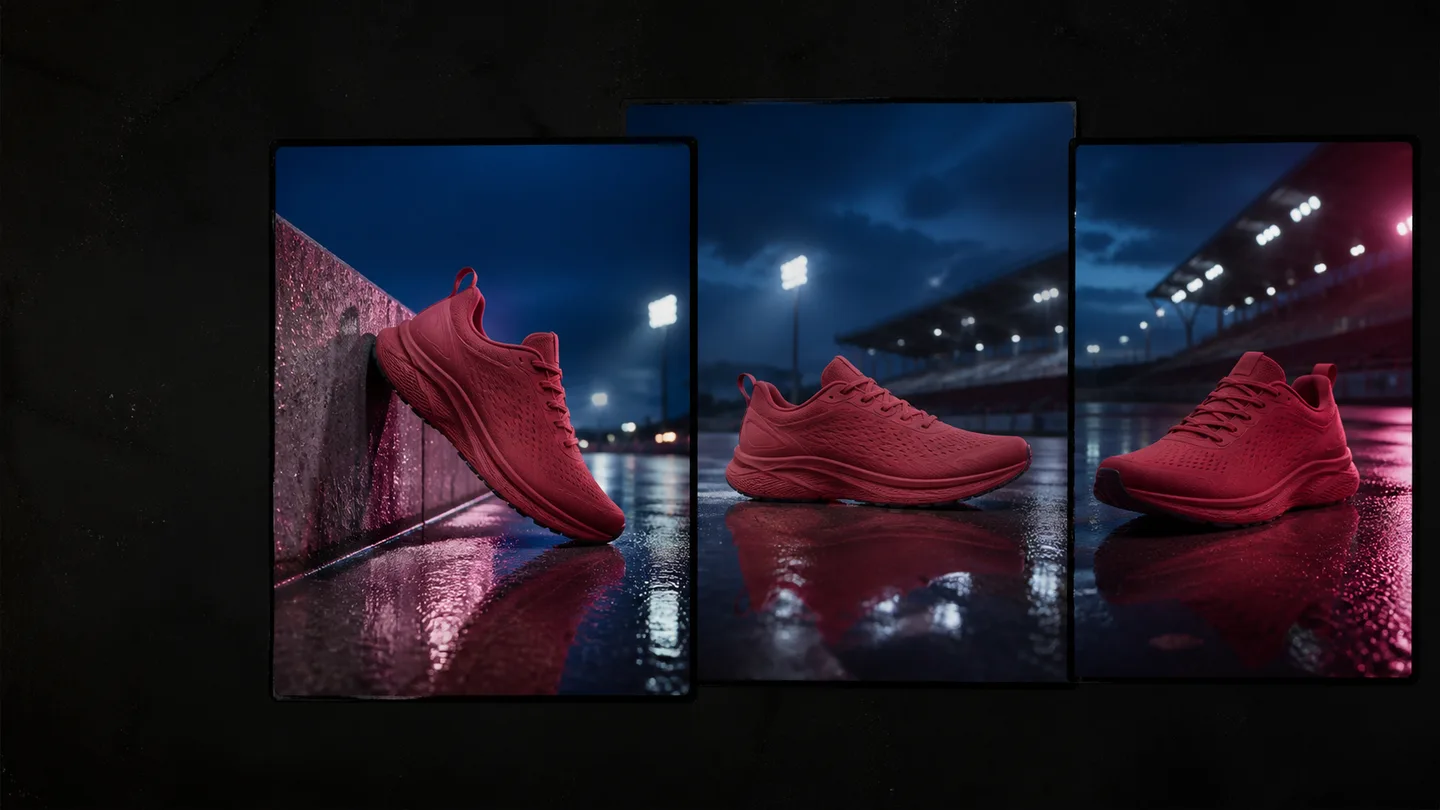
Make a continuity sheet
Before generation, write a compact sheet that every shot can inherit. Avoid poetic language here. This is a factual reference for the details the viewer will notice when clips are cut together.
| Category | Lock it when it matters | Let it change when it helps |
|---|---|---|
| Subject | Age range, hairstyle, clothing, product color, markings, shape. | Pose, facial expression, hand position. |
| World | Location, time of day, weather, key props, palette. | Camera direction, background activity, depth of field. |
| Light | Main source direction, softness, color temperature, contrast level. | Small highlights or a motivated practical light. |
| Camera | Aspect ratio, visual texture, broad lens family, movement style. | Framing size and one specific move per shot. |
Repeat the facts the next shot cannot infer
Every new generation is a new interpretation. Copy the essential locks into the next prompt in the same order. Then add the new action and framing. This is more reliable than making the prompt increasingly elaborate after drift appears.
CONTINUITY LINE
Same matte red running shoe, black sole, white stitched logo; same wet concrete track at blue hour;
same soft overhead stadium lights and restrained film grain.

SHOT-SPECIFIC LINE
Low tracking close-up as the shoe lands in a shallow puddle. One slow follow movement; no cut.
Use a reference frame deliberately
When your workflow supports image-to-video, use a frame that already proves the subject, color and scene are right. A reference image is most useful for the visual facts that are hard to describe precisely: a particular product silhouette, wardrobe combination, room layout or graphic treatment.
- Choose the cleanest approved frame. Pick one with the important subject visible, not the most dramatic frame with blur or obstruction.
- Ask for one compatible next action. The prompt should extend the image rather than contradict it with a different pose, location or lighting setup.
- Check the cut, not just the clip. Put the two shots next to each other early. Continuity problems are easier to see at the edit point.
- Freeze successful details. When a version gets the wardrobe, product or world right, copy that wording forward before experimenting with a new move.
Fix drift without making the prompt brittle
Do not add ten negative instructions after every failed result. First identify the type of drift, then strengthen only the relevant lock.
Wrong subject details
Move the description to the beginning and make it physical: color, material, silhouette and a visible identifying feature.
Wrong location or time
Repeat the setting and light source together. “Blue-hour track under stadium lights” is stronger than “cinematic night.”
Jarring camera change
Keep the visual language fixed, but vary framing with intent: wide establish, medium action, close detail.
Too much change at once
Keep the subject and world static while you test a new move. Once the move works, carry it into the next approved shot.
A quick continuity review before export
- Does the subject remain recognizable at every cut?
- Do aspect ratio, color treatment and time of day feel intentional across the sequence?
- Does each camera move have a reason, rather than competing with the action?
- Would a viewer understand the location and product without reading a caption?
Plan the first shot, then protect what works
Use the prompt guide for the first brief and the shot-list template to turn approved visuals into a sequence.